Showing posts with label Instagram. Show all posts

Monday, June 16, 2025

The Power of an Instagram Professional Account


In today’s digital frontier, where content is currency and attention is gold, mastering Instagram isn’t optional—it’s essential. The platform has evolved far beyond a photo-sharing app. It’s now a global stage for creators, entrepreneurs, influencers, and brands to build empires. And the true gateway to this kingdom? The Instagram professional account.

Unlocking the power of a professional account isn’t just a technical switch—it’s a strategic evolution. It transforms your digital presence from passive to purposeful, from visible to influential.

What Makes The Shift From Personal to Professional Account?

Every scroll, tap, and like on Instagram is data. A personal account merely observes. A professional account analyzes, adapts, and accelerates. You’re not just posting pictures—you’re building a brand, cultivating a community, and steering growth.

And when the algorithm favors the bold, those who understand the mechanics gain the edge.

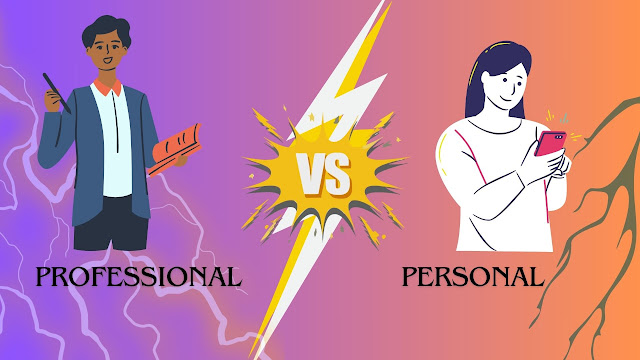
Professional vs. Personal: A Defining Line

Before we delve into tools and tactics, it’s critical to understand what sets a professional account apart.

  • Insights: Access to real-time analytics, including impressions, reach, profile visits, and follower demographics.

  • Promotions: The ability to run paid ads directly from your posts or stories.

  • Contact Options: Call-to-action buttons (Email, Call, Directions) on your profile.

  • Profile Category: Choose an industry-aligned label (e.g., Artist, Blogger, Restaurant) that clarifies your niche.

  • Link Integration: Add external links and shop tags that drive traffic and sales.

the-power-of-an-instagram-professional-account

This shift isn't just technical—it's psychological. It signals to your audience (and Instagram's algorithm) that you're here not just to scroll—but to scale.

Instagram Creator Studio: A Vital Companion

Once you upgrade to a professional account, you gain access to Meta’s Creator Studio—a powerful hub designed to elevate your content strategy.

Features:

  • Content scheduling and cross-posting across Facebook and Instagram.

  • Real-time content performance metrics.

  • Monetization tools (if eligible).

  • Comment management and message organization.

Specs:

  • Desktop-based access for better control.

  • Advanced filters for post insights.

  • Compatibility with both Creator and Business accounts.

Importance:

Creator Studio lets you manage Instagram promotion with the precision of a newsroom. You don't just post content—you orchestrate a digital campaign.


Leveraging Design Tools for Branding

A professional account deserves professional visuals. That’s where tools like Canva Pro and Adobe Express enter the scene.

Canva Pro:

  • Features: Thousands of templates for posts, stories, and reels.

  • Specs: High-res export, brand kit integration, resize for multiple platforms.

  • Importance: Empowers non-designers to create scroll-stopping content in minutes.

Adobe Express:

  • Features: AI-powered design tools, animation features, branded content templates.

  • Specs: Mobile-friendly, Adobe Creative Cloud integration.

  • Importance: Ideal for creators who want polished visuals without steep learning curves.

When your visuals align with your voice, your audience listens. And these tools are the bridge between concept and execution.


Data-Driven Growth: Insights That Matter
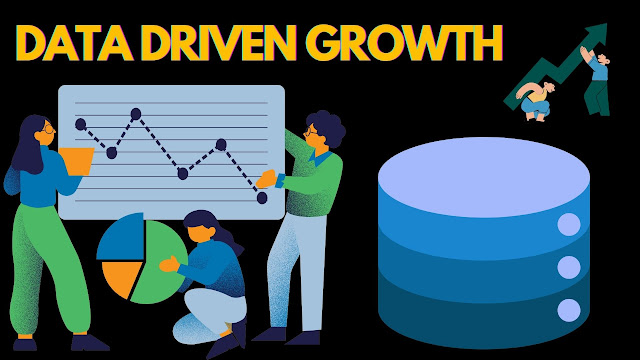
A key advantage of a professional account is access to Instagram Insights—the compass for content navigation.

Track:

  • Follower activity: Know when your audience is online.

  • Engagement metrics: Measure likes, comments, saves, and shares.

  • Demographics: Understand age, location, and interests of your audience.

  • Content performance: Discover what works—and why.

Using this data, you can tailor posts that aren’t just liked, but loved. When strategy meets insight, growth is inevitable.


Strategic Advertising: Amplify with Precision

Your professional account unlocks access to Instagram Ads, powered by Meta verified ad system. From story ads to carousel promos, these tools allow you to reach exactly who you want.

Choose from:

  • Interest-based targeting

  • Custom audiences (retargeting)

  • Lookalike audiences

  • Budget and time controls

This isn’t just advertising—it’s laser-focused influence. With the right creative and targeting, you turn followers into loyalists, and viewers into buyers.


The Keyword of Success: Consistency

All the tools in the world mean little without consistency. The power of a professional account is maximized when your posting schedule is regular, your visuals are cohesive, and your messaging is clear.

Use tools like Later, Hootsuite, or Buffer to schedule content, manage engagement, and monitor progress—so you spend less time planning and more time connecting.

You can also watch this video to know more: How To Auto Scrape post On Instagram Using Socinator.


Final Word: Professional Is the New Personal

The modern Instagram user is savvy. They follow with intention, engage with purpose, and invest in authenticity. An Instagram professional account doesn’t just meet those expectations—it exceeds them.

From content insights to promotional power, from visual design to strategic growth—the tools are here, the audience is ready, and the stage is set.

All that’s left is for you to master Instagram—one post, one story, one strategy at a time.


Thursday, December 26, 2024

Reel Trends: Discovering the Latest Innovations in Instagram Reels

 Reel Trends: Discovering the Latest Innovations in Instagram Reels


Social media plays a crucial role in our lives, with Instagram being one of the most engaging platforms. Instagram boasts millions of users who turn to it for entertainment. The platform offers a variety of interesting and captivating features, such as story animations, avatars, messaging, and live interactions. Among these features, "Reels" is one of the most appealing.

What Is A Reel?


Instagram Reels is a content creation feature that allows users to produce various types of entertaining content. Reels provide a platform for users to showcase their talents and experiment with new ideas on a global scale.

The Reels feature was introduced on Instagram in August 2020, in response to the immense success of TikTok. Both platforms share similar key features, offering comparable content formats. Instagram Reels serves as an alternative to TikTok.

Instagram Reels has a vast range of users including vloggers, entrepreneurs, influencers, and more. Everyone is using Reels, which creates traffic and engages people with the content, leading to the creation of various Reel trends.

Content that shares common elements typically attracts the most views. When many users engage with such content, it can become a trending reel topic. Additionally, you can monetize reels by posting content on Instagram. But what matters is, how to do that?
Let's know more about it:

Money, Money, Money:


You can make money by creating content for Instagram Reels. To do this effectively, you need to consistently produce reels to drive more traffic to your page, increasing your reach and engagement, and ultimately building your brand presence.

To monetize your reels, it's essential for users to recognize your content. Once they start recognizing and enjoying what you create, established brands, influencers, and organizations will reach out to you for promotional opportunities.

They will pay you to advertise their products, helping them sell their ideas and brands to attract customers. Your payment will depend on your page's reach, which reflects how many users interact with your content daily.   

There are many ways to get more reach and engagement, some of them are getting views, likes, comments, and shares. But getting views, likes, comments, and shares has now become difficult as there is an increase in competition. To get it done, there are different websites which are offering tools to boost your page's reach and engagement.


Tools For Instagram Reels


There are various tools available for Instagram Reels that make it easier for users to create high-quality content. These tools offer a range of features, including auto likes, auto comments, auto sharing, and scheduled posting.

Auto Likes and Comments:

The auto likes and comments feature automatically generates likes and comments on your posts, helping to increase your page's reach and engagement.

Auto Share:

The auto-share feature automatically shares your content, driving more traffic to your page.

Scheduled Posting:

reel-trends-discovering-the-latest-innovations-in-instagram-reels

The scheduled posting feature allows you to publish and repost content at your desired time and date. This reduces the hassle of ensuring that posts go live at the optimal times.

Auto Follow and Unfollow:

The auto follow and unfollow feature helps you manage your feed according to Instagram's algorithm. It enables you to build your brand by following relevant accounts while unfollowing those that are not pertinent.


Auto Follow-Back:

The auto follow-back feature allows you to connect with your audience by automatically following back users who engage with your page. This shows appreciation for your audience and helps maintain Instagram engagement.


Auto Reply:

The auto reply feature provides automated responses to likes and comments from your audience. Engaging with your audience in this way increases your reach and builds trust.

Statistical Analysis:


This feature offers a comprehensive report of your page's activity, reach, and engagement. It provides statistical analytics on how many people interact with your page daily.

Different platforms offer these features at different prices which enhances the quality of your content and helps you gain more reach and engagement.

Platforms that offer these tools are SocialPilot, Sprout Social, Socinator, Buffer, etc. All these platforms provide you with the tools mentioned above.


Summing up:


At last to sum up all the above content for our readers:

Instagram Reel Trends have transformed the way content creators and businesses connect with their audience by providing a dynamic platform for sharing engaging short-form videos. 

Utilizing the right tools to schedule, edit, and analyze Reels allows for smooth content planning and maximizes both reach and impact. By adopting these innovative solutions, users can save time while consistently delivering high-quality content that helps them to interact with their audience. Start taking advantage of the full potential of Instagram Reels with these tools to elevate your social media strategy!

Friday, August 9, 2024

The Ultimate Guide On How To Turn Off Business On Instagram!


In the ever-evolving world of social media, Instagram has carved a niche for itself as a premier platform for both personal expression and business growth. However, there may come a time when you decide to revert your business account back to a personal one. This article delves into the nuanced process of how to turn off your business account on Instagram, ensuring that you navigate the transition seamlessly and efficiently.

Introduction


In an era where digital presence is paramount, Instagram has become a cornerstone for business branding and customer engagement. However, the needs of a business account may sometimes outgrow its initial purpose, necessitating a shift back to a personal profile. Whether you’re scaling down, pivoting strategies, or simply seeking a change, knowing how to turn off your business account on Instagram is essential. This guide will walk you through the steps with clarity and precision, ensuring you make the transition smoothly.

Understanding the Basics


Before diving into the specifics, it's crucial to understand why you might want to turn off your business account. Business accounts come with a suite of tools and features designed to enhance your visibility and engagement. These include insights, promotional capabilities, and contact options. However, they also come with certain constraints and expectations. Reverting to a personal account can simplify your experience, provide more privacy, and eliminate the pressure of maintaining a business presence.

Step-by-Step Guide to Turning Off Your Business Account


Open Instagram and Go to Your Profile


Start by opening the Instagram app on your mobile device. Navigate to your profile by tapping on the profile icon at the bottom right corner of the screen.

Access Account Settings

the-ultimate-guide-on-how-to-turn-off-business-on-instagram

Once on your profile, tap the three horizontal lines in the top right corner to open the menu. From here, select ‘Settings,’ which is typically at the bottom of the menu options.

Navigate to Account Settings


In the Settings menu, scroll down until you find ‘Account.’ Tap on it to access your account-specific settings.

Switch Account Type


Within the Instagram Account settings, look for the option labeled ‘Switch Account Type.’ This is where you can change your account from a business profile back to a personal one.

Confirm the Switch


Instagram will prompt you to confirm your decision. This is a critical step as switching back to a personal account will disable your access to business insights and other features. If you’re certain about your choice, confirm the switch.

What to Expect After Switching


Once you’ve successfully switched to a personal account, you’ll notice several changes. Your profile will no longer display business-related information such as contact buttons. Additionally, you will lose access to Instagram Insights, which provide detailed analytics about your posts and followers. This transition can bring a sense of relief from the constant monitoring and strategizing required for business accounts, allowing for a more relaxed and personal social media experience.

Key Considerations


Turning off your business account on Instagram isn’t a decision to be taken lightly. Consider the following before making the switch:

  • Loss of Insights: As mentioned, you’ll lose access to valuable data and analytics that can inform your content strategy.
  • Promotion Capabilities: Business accounts can run Instagram ads and promote posts, a feature not available for personal profiles.
  • Professional Appearance: A business account lends a certain professionalism to your profile, which can be beneficial for maintaining a brand image.

When and Why to Make the Switch


The decision to revert to a personal account can be driven by various factors. If you find that maintaining a business profile is too time-consuming or if your business has ceased operations, switching can provide a much-needed break. Additionally, if privacy concerns outweigh the benefits of a business account, reverting can offer peace of mind. Assess your current needs and future goals to make an informed decision.


The Verdict:

Navigating the digital landscape requires adaptability and awareness of your evolving needs. Knowing how to turn off your business account on Instagram is a valuable skill that allows you to reclaim control over your social media presence. Whether driven by a change in business strategy, a desire for simplicity, or privacy concerns, this guide has equipped you with the knowledge to make the transition effortlessly. Embrace the change with confidence, knowing that every step you take is a stride towards a more personalized and fulfilling Instagram experience.

By following this comprehensive guide, you can ensure that to turn off professional account on Instagram is a smooth and well-informed process. Make the switch with clarity and confidence, and enjoy the newfound freedom and flexibility that comes with a personal profile.

Friday, May 31, 2024

Instagram Influencer Marketing Shortcuts - The Easy Way


In the dynamic world of social media, Instagram has emerged as a powerhouse for influencer marketing. Brands across various industries leverage Instagram influencers to reach their target audience effectively. However, navigating this landscape can be overwhelming, especially for newcomers. This guide offers shortcuts and easy ways to master Instagram influencer marketing.

Understanding Instagram Influencer Marketing


Before diving into shortcuts, it’s crucial to understand what Instagram influencer marketing entails. Influencer marketing on Instagram involves brands partnering with individuals who have a substantial following and influence on the platform. These influencers promote products or services to their audience, driving brand awareness, engagement, and sales.

Shortcut 1: Define Clear Goals


The first step in any successful influencer marketing campaign is to define clear goals. What do you want to achieve? Whether it’s increasing brand awareness, driving website traffic, or boosting sales, having a clear objective will guide your strategy and help measure success. This clarity ensures that your efforts are focused and aligned with your overall marketing strategy.

Shortcut 2: Identify the Right Influencers


Choosing the right influencers is critical. The ideal influencer aligns with your brand values, has a genuine connection with their followers, and possesses the ability to engage their audience effectively. Use tools like Social Blade, HypeAuditor, and BuzzSumo to analyze potential influencers. These platforms provide insights into an influencer’s follower demographics, engagement rates, and authenticity, ensuring you make informed decisions.

Micro-Influencers vs. Macro-Influencers


Consider whether to work with micro-influencers or macro-influencers. Micro-influencers have smaller but highly engaged audiences, often resulting in more authentic interactions. Macro-influencers, on the other hand, have a broader reach but may charge higher fees and have less engagement per follower. Depending on your goals and budget, either option can be beneficial.

Shortcut 3: Leverage Influencer Marketing Platforms


Influencer marketing platforms streamline the process of finding and collaborating with influencers. Platforms like AspireIQ, Upfluence, and Traackr offer databases of influencers, campaign management tools, and analytics. These platforms simplify the workflow, from discovery and outreach to contract management and performance tracking.

Shortcut 4: Create Compelling Campaigns

instagram-influencer-marketing-shortcuts-the-easy-way

To maximize the impact of your influencer marketing efforts, focus on creating compelling campaigns. Provide influencers with creative freedom to produce authentic content that resonates with their audience. Authenticity is key; audiences are more likely to trust and engage with content that feels genuine and personal.

Content Guidelines


While giving creative freedom, establish clear content guidelines. Ensure that influencers understand your brand’s voice, messaging, and any legal requirements, such as disclosing sponsored content. Clear guidelines help maintain brand consistency and avoid potential legal issues.

Shortcut 5: Utilize User-Generated Content


Encourage influencers to create user-generated content (UGC) that showcases your products in real-life scenarios. UGC not only enhances authenticity but also provides you with valuable content for your own social media channels. Share and promote this content to build a sense of community and trust around your brand.

Shortcut 6: Monitor and Measure Performance


Tracking the performance of your influencer marketing campaigns is essential for understanding their effectiveness and optimizing future efforts. Key metrics to monitor include engagement rates, reach, impressions, and conversions. Use Instagram Insights, Google Analytics, and influencer marketing platforms to gather and analyze this data.

Adjusting Strategies


Based on performance data, be prepared to adjust your strategies. If certain influencers or content types are performing exceptionally well, consider doubling down on those approaches. Conversely, if something isn’t working, don’t hesitate to pivot and try new tactics.

Shortcut 7: Build Long-Term Relationships


Building long-term relationships with influencers can be more beneficial than one-off collaborations. Long-term partnerships foster deeper connections with the influencer’s audience and enhance brand loyalty. Consider establishing ambassador programs or recurring collaborations to maintain consistent engagement.

Shortcut 8: Stay Updated on Trends


The world of social media is ever-evolving, and staying updated on trends is crucial. Follow industry news, participate in relevant webinars, and engage with the influencer marketing community to keep abreast of the latest developments. Staying informed allows you to adapt quickly and stay ahead of the competition.


Summing Up:


Instagram influencer marketing offers immense potential for brands to connect with their target audience authentically and effectively. By defining clear goals, identifying the right influencers, leveraging platforms, creating compelling campaigns, utilizing user-generated content, monitoring performance, building long-term relationships, and staying updated on trends, you can streamline your efforts and achieve significant results. These shortcuts provide an easy way to navigate the complexities of influencer marketing, ensuring your brand’s success in the vibrant world of Instagram.